Skip to main content

|
Listen to Todays Featured Blog ????
Getting your Trinity Audio player ready...
|
Table of Contents
ToggleBoost Your Business with Automated Marketing Campaigns
Marketing Automation for Small Businesses: Practical Benefits, Tools, and a clear roadmap to grow
Marketing automation combines software, repeatable processes, and data-driven workflows to take routine marketing and sales tasks off your team’s plate. For small businesses that means more steady leads, more reliable conversions, and reclaimed staff hours for higher-value work. This guide breaks down what automation actually does, why it matters for local service providers, and how CRM-driven sequences stop the leaks that lose you customers. You’ll get the core features to prioritize, the measurable gains to expect, straightforward tool-selection criteria, and a cheap-and-fast implementation roadmap suited to limited budgets and small teams. We also cover how AI improves personalization and predictive scoring, plus the KPIs you should watch to prove ROI. Throughout, we use concrete examples, comparison tables, and step-by-step lists written for local niches so you can move from idea to a working automation plan.
What is marketing automation — and why it matters for small businesses
Marketing automation is software-led orchestration of routine outreach—welcome emails, lead scoring, appointment reminders, and triggered SMS—so the right message reaches the right person at the right moment. For small businesses, that means fewer missed follow-ups, more consistent customer experiences across channels, and less time spent on manual tasks. Turning one-off actions into reusable workflows raises conversion rates and frees owners and staff to focus on serving customers and growing the business. Understanding these basics points directly to the specific features that make automation practical for SMBs and local service providers.
Core marketing automation features every SMB should know
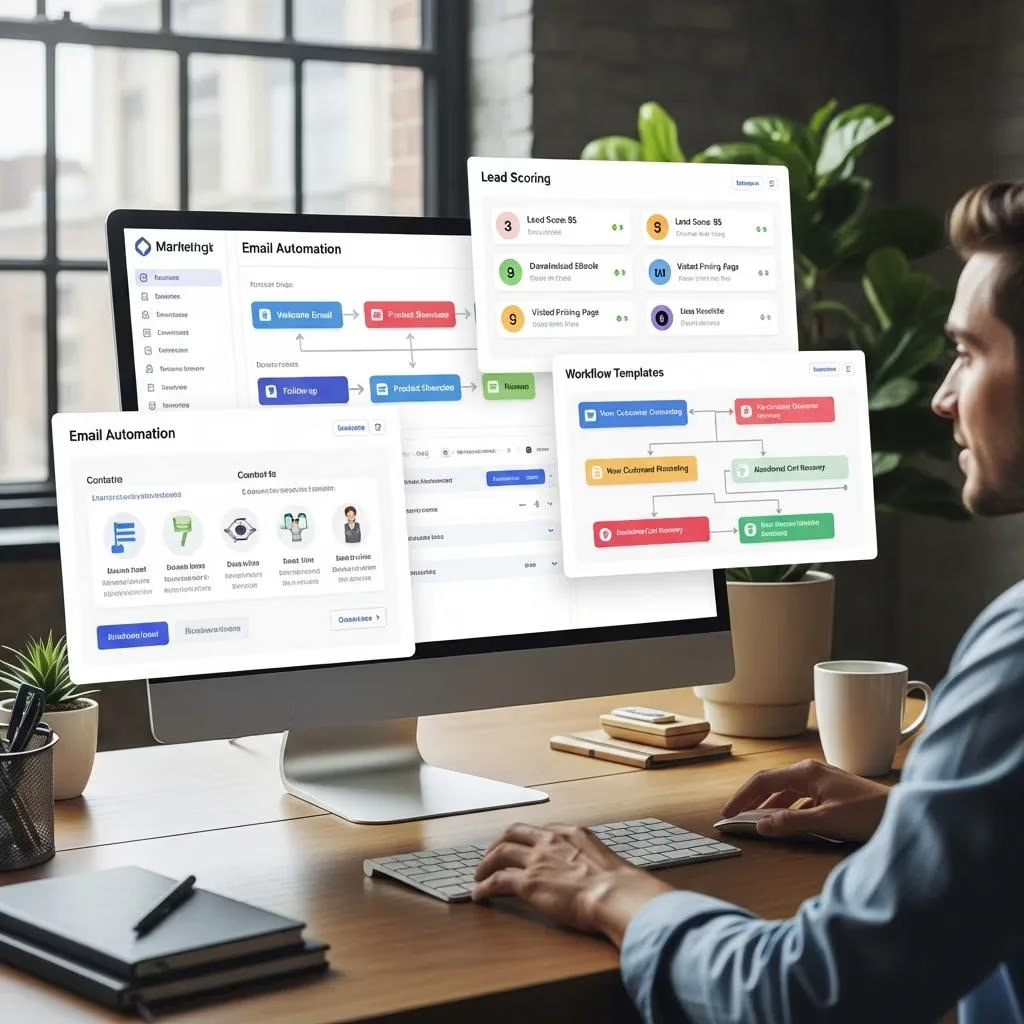
For small businesses, the core automation toolkit usually includes email automation, list segmentation, lead scoring, workflow templates, analytics dashboards, and CRM integration to keep contact data centralized. Email sequences—welcome series, post-appointment follow-ups, and abandoned-cart nudges—keep prospects moving through the funnel without manual work. Segmentation and lead scoring help small teams prioritize high-intent contacts while automated workflows cover routine follow-ups and reminders. Together, these features cut manual errors, shorten response times, and create more consistent conversions for local businesses like salons, roofers, and restaurants.
Below are the specific features SMBs should evaluate and why each matters.
- Email automation: Sends targeted sequences based on behavior and lifecycle stage so messages feel timely and relevant.
- Lead scoring: Highlights contacts most likely to convert so staff can respond where it counts.
- Workflow templates: Pre-built campaigns speed deployment and reduce setup headaches.
- SMS automation: Delivers fast, high-engagement reminders and follow-ups with excellent open rates.
- CRM integration: Keeps customer data synced across marketing and sales for accurate personalization.
Businesses that implement these features typically miss fewer leads and build more predictable revenue. Next, we contrast automation-driven workflows with traditional marketing to clarify differences in scale and measurability.
How marketing automation differs from traditional marketing
Traditional marketing tends to rely on one-off campaigns and manual outreach. Marketing automation focuses on repeatable, data-driven workflows that scale personalization—dynamic content, behavioral triggers, and optimized timing—far more consistently than manual methods. Instead of isolated campaigns, automation creates continuous, measurable customer journeys you can refine incrementally. That continuous approach is why automation cuts lead leakage and improves conversion rates over time.
Key benefits of marketing automation for small businesses
Automation delivers clear, measurable outcomes: time savings, higher conversion rates, stronger customer retention, and better attribution of marketing to revenue. For small businesses, that translates to steadier lead flow, less overhead for repetitive tasks, and smarter use of limited staff. Below is a concise table linking core benefits to the metrics they impact so owners can prioritize the highest-return initiatives.
The table that follows maps common automation benefits to the metrics they influence and typical outcomes small businesses can expect.
| Benefit | Metric Affected | Value / Expected Outcome |
|---|---|---|
| Automated emails & sequences | Revenue per email / conversion rate | Up to double conversion lift on nurtured contacts |
| Workflow-driven follow-ups | Lead-to-customer conversion rate | Faster responses, less lead leakage, +10–30% CVR |
| Appointment reminders & invoices | No-show rate / billing recovery | Fewer no-shows and improved on-time payments |
| SMS nurture sequences | Open / response rates | Higher immediate engagement and quicker conversions |
This mapping helps you see which automation features move which KPIs and lets small businesses pick low-effort, high-impact workflows first. The next section shows how efficiency gains show up in day-to-day operations and staff time saved.
How automation improves efficiency and saves time
Automation removes repetitive admin—scheduling, manual follow-up, billing reminders, and basic lead qualification—so teams can spend more time closing and serving customers. For example, appointment reminders cut down phone calls and no-shows, while automated invoice nudges improve cash flow without staff chasing payments. In practice, automating five daily follow-ups can free one to two staff-hours per day for a small service provider. Those hours add up over weeks and quarters, letting revenue scale without a matching rise in headcount.
Automation also standardizes customer touchpoints, so every lead gets timely outreach and relevant content. That consistency improves brand experience and reduces the mental load on employees juggling fragmented follow-ups. Next we’ll show how automated lead generation supports local growth with geo-targeting and review automation.
How automated lead generation fuels local business growth
Automated lead capture—on-site forms, geo-targeted landing pages, and integrated chat—collects contact details and triggers immediate follow-ups that convert visitors into bookings or sales. For local providers, pairing geo-fenced offers with fast SMS follow-ups gets nearby prospects through the door. Automated review-request campaigns after a job is done boost local reputation and search visibility, which in turn feeds more organic leads into your nurture streams. These tactics reduce lead leakage and create a measurable feedback loop between reputation and lead volume.
Local strategies also segment by service area and appointment type so messages resonate with nearby customers. When you combine capture, nurture, and reputation automation, you can scale local demand predictably. The next section compares platform types and helps you choose tools that match small business budgets and workflows.
Which marketing automation tools work best for small businesses?
Pick a tool based on priorities: ease of use, CRM integration, templates, pricing, and support. Small businesses often choose between all-in-one platforms (email, SMS, CRM, booking bundled) and best-of-breed specialists (deep features for a single function that need integration). The table below compares these platform types and shows how their strengths map to SMB needs. When choosing, balance simplicity (all-in-one) against modular flexibility (best-of-breed).
This comparison helps owners match platform types to operational needs and resource limits.
| Platform Type | Key Feature | How it Helps SMBs |
|---|---|---|
| All-in-one platform | Built-in CRM + templates | Quick setup, unified data, less integration work |
| Best-of-breed specialist | Deep feature set (e.g., advanced SMS) | More capability in one area, but requires integrations |
| Hybrid / Integrations | API / connectors | Mixes best tools while keeping contacts and triggers synced |
Many SMBs start with an all-in-one for simplicity, while growth-stage businesses often move to hybrids for specialized functionality. Local Digital Buzz’s Business Software features—CRM sync, appointment booking, nurture templates, and automated sales pipelines—illustrate how an integrated solution converts leads reliably without complex wiring. Our mission is practical: educate, guide, and help local business owners implement digital marketing that improves visibility, generates leads, and drives growth.
Automation technology for small business marketing efficiency
Recent studies show automation tools—CRMs, email automation, and social media managers—help small businesses streamline marketing, improve engagement, and make data-driven decisions. Case studies highlight better lead generation, higher retention, and more efficient use of limited resources when automation is applied thoughtfully. The research underscores that adopting the right automation mix can boost marketing effectiveness while saving time and money.
What features should small businesses look for in automation software?
Prioritize ease of use, pre-built templates, CRM sync, SMS capability, clear reporting, and affordable tiers. Easy onboarding shortens time-to-value, while templates and workflow libraries lower the technical barrier. CRM sync ensures lead data and appointment status inform personalized messaging. Reporting and dashboards give you the measurement you need to prove ROI and iterate quickly.
Prioritized checklist:
- Ease of use and onboarding: Reduces setup time and training needs.
- Pre-built workflow templates: Gets your first campaigns live fast.
- CRM integration: Keeps customer data unified for better personalization.
- SMS + email support: Enables practical omnichannel nurture strategies.
- Actionable reporting: Tracks KPIs and shows what’s working.
After you pick features, run a small pilot campaign and measure impact before scaling. The next section explains why CRM integration is the foundation of successful automation.
How CRM integration improves automation outcomes
Your CRM is the single source of truth for interactions, purchase history, and lifecycle stage—information that lets automation trigger the right sequences at the right time. Integrated CRMs improve lead routing, enable personalized messaging using contact attributes, and automate task assignments for sales follow-up. When CRM fields power segmentation and lead scoring, automation becomes precise and responsive to real behavior. This data backbone reduces duplication, improves attribution, and increases conversion by aligning automated logic with actual customer status.
Think of the flow as lead capture → CRM → automation trigger: a short chain that speeds response and aligns sales and marketing. Good CRM hygiene—deduplication and standardized fields—further boosts automation accuracy and reporting.
How to implement effective automated marketing strategies
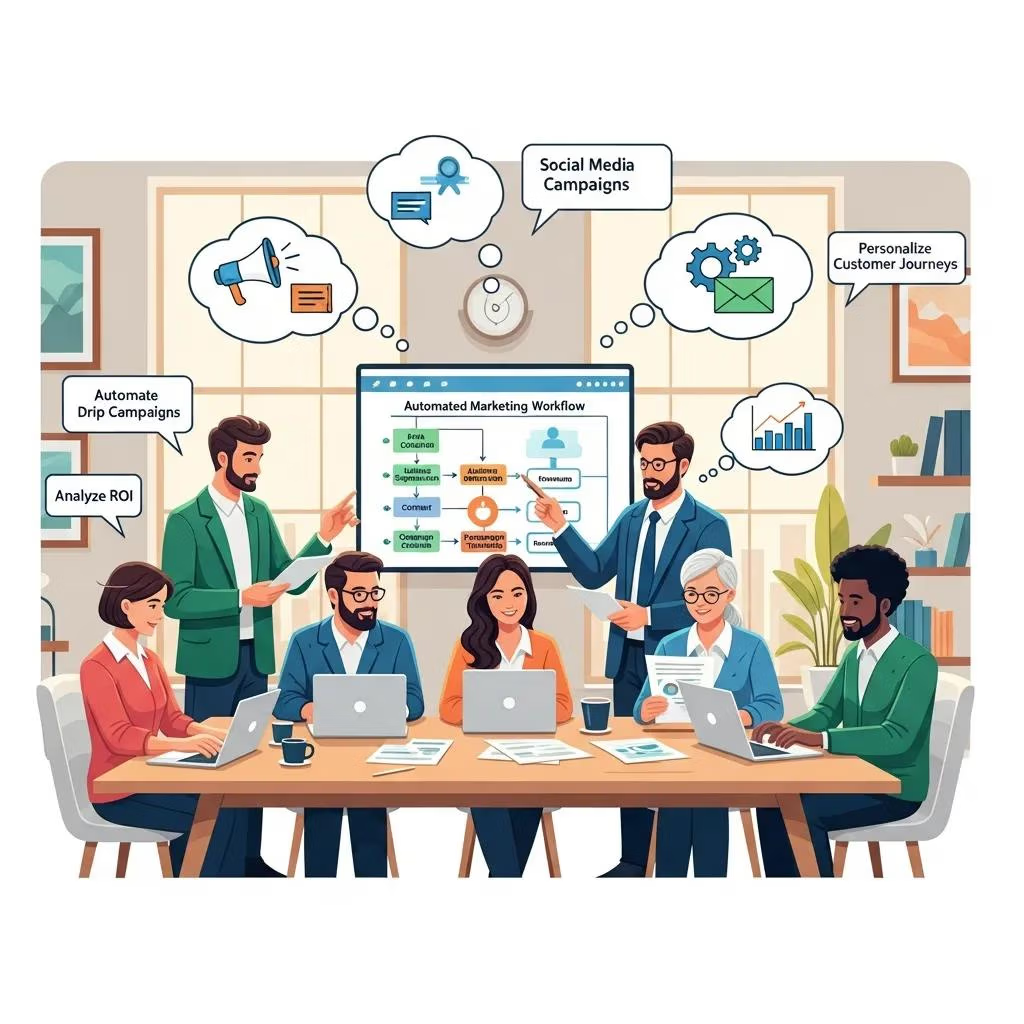
Start by mapping the customer journey, defining conversion steps, choosing the smallest useful toolset, and launching pilot workflows that fix high-impact pain points. A staged rollout prevents over-automation and keeps focus on revenue-driving flows—appointment confirmations, abandoned-cart recovery, and post-service review requests. The steps below give a simple sequence for small teams, including testing checkpoints to validate impact before wider rollout. Our goal: help local businesses build repeatable systems that actually move the needle.
Use this checklist as your step-by-step deployment plan.
- Define goals and KPIs: Pick target metrics like conversion rate or LTV.
- Map customer journeys: Identify touchpoints and friction to automate.
- Choose tools and templates: Favor integrations and ease of use.
- Build minimal viable workflows: Start with high-impact automations (bookings, follow-ups).
- Test and iterate: A/B test messaging and timing; watch KPIs closely.
- Scale gradually: Add segments and channels after you see positive ROI.
This phased approach reduces risk and creates quick wins that free capacity for further automation. If you want hands-on help, Local Digital Buzz offers services and software—CRM, automated booking, nurture templates, and sales automation—to implement these steps efficiently. Consider requesting a demo or a free audit to identify your highest-impact workflows.
Steps to set up automated marketing campaigns
Campaign setup starts with discovery (goals, audiences), moves into mapping triggers and message cadences, then finishes with QA, launch, and scheduled reviews. During discovery, document the primary conversion events (booking, purchase) and the data you need for personalization. Build sequences in short sprints: a welcome series, an appointment reminder flow, and a post-service review request. Test each message for deliverability and clarity, then monitor KPIs for at least one conversion cycle and refine subject lines, timing, and segmentation based on results.
Testing should include deliverability checks, link-tracking verification, and small-sample A/B tests to validate subject lines and send times. These checks ensure campaigns perform before scaling to larger lists.
How email and SMS nurture keep leads moving over time
Email and SMS nurture maintain consistent contact with relevant content, timed offers, and re-engagement tactics that match lifecycle stages. Plan a cadence—welcome series, educational touches, promotional offers, and occasional reactivation sequences—to stay top of mind without overwhelming your audience. For local services, a year-long SMS or email plan can sustain repeat bookings and referrals, while targeted triggers (appointment reminders, service anniversaries) drive timely rebookings. Always manage opt-ins and preferences to protect deliverability and trust.
Measure nurture effectiveness with open rates, click-to-conversion, and progression through lead stages to fine-tune cadence and content themes. Regular testing improves personalization and long-term ROI.
How AI is changing marketing automation for small businesses
AI adds smarter personalization, predictive lead scoring, subject-line optimization, and dynamic content suggestions so small teams can deliver tailored experiences without manual segmentation. Predictive models surface high-intent leads and recommend next-best-actions, while AI-assisted content creation speeds campaign setup and can lift open rates. These tools shorten the experimentation loop and raise baseline performance across routine workflows.
AI’s role in personalizing customer engagement
AI can automate segmentation, optimize send times, personalize subject lines and message content, and recommend products or services based on likely behavior. For example, predictive scoring ranks leads by conversion probability so sales focuses on hot opportunities while automation handles lower-intent nurture. Validate AI gains with controlled A/B tests—compare AI-written subject lines to human versions and measure the lift in opens and conversions. Small, scoped experiments give low-cost proof before wider adoption.
Start narrow—one campaign at a time—and always respect privacy and data governance when using predictive models.
Emerging marketing automation trends for 2025 and beyond
Watch for omnichannel orchestration (coordinated cross-channel journeys), AI-driven personalization at scale, privacy-first data practices, predictive lead scoring, and ready-made industry templates for faster deployment. These trends matter because they lower technical barriers and improve conversion predictability when implemented correctly. Action steps: audit data collection for compliance, pilot predictive scoring on a subset of leads, and build omnichannel templates that coordinate email, SMS, and in-app messages. Staying current helps local businesses compete more effectively.
Quick adoption checklist:
- Pilot AI scoring on a subset of leads.
- Create omnichannel templates for key journeys.
- Implement privacy-first data practices and consent management.
Following these steps helps small businesses capture early benefits from evolving automation capabilities.
How to measure the ROI of marketing automation
Measuring automation ROI needs clear KPIs, consistent attribution, and baseline benchmarks to compare pre- and post-automation results. ROI equals the revenue lift attributable to automation minus costs, divided by costs. Trackable KPIs include conversion rate, customer lifetime value (LTV), cost per lead (CPL), and revenue per email. The table below lists essential KPIs, how to measure them, and recommended tools or benchmarks you can use to validate impact and iterate.
Use this KPI reference to prioritize measurement and choose tools that make ROI visible.
| KPI | How to Measure | Recommended Tools / Benchmarks |
|---|---|---|
| Conversion rate (lead → customer) | Track form-to-sale conversion over time | Use CRM funnels; target +10–30% improvement |
| Revenue per email / campaign | Revenue attributed to campaign / emails sent | Email platform attribution; benchmark varies by industry |
| Customer LTV | Average revenue per customer × retention period | CRM + cohort analysis; aim to increase LTV over 6–12 months |
| Cost per lead (CPL) | Total marketing spend / leads generated | Track in GA4 + CRM; expect a downward trend as automation matures |
This KPI matrix gives SMBs a usable measurement framework and shows which tools help attribute revenue to automated workflows. The next subsection clarifies each metric and offers simple formulas for quick calculations.
Which metrics show automation is working?
Key metrics are conversion rate, customer LTV, CPL, email open/click rates, and revenue per campaign; each has a simple formula and a clear interpretation. Conversion rate = (customers / leads) × 100 and measures end-to-end effectiveness. CPL = total marketing spend / number of leads and shows acquisition efficiency. Revenue per email = total campaign revenue / emails sent and helps prioritize high-performing sequences. Track these metrics over time with consistent attribution windows to spot true automation impact.
Set realistic benchmarks for your vertical and use cohort analysis to separate automation effects from other channels. Regular reporting lets you decide which workflows to scale.
How to overcome common automation challenges
Typical issues include messy data, limited internal expertise, over-automation, and fuzzy attribution. Start with data cleanup—standardize fields and deduplicate contacts—then roll out features in phases focused on high-impact workflows. Invest in basic training or partner with a specialist to bridge skill gaps and use templates to reduce complexity. For attribution, implement UTM tagging and CRM-based conversion tracking so revenue can be traced back to automated sequences.
Troubleshooting checklist:
- Standardize and clean CRM data.
- Start with 1–3 pilot workflows.
- Use UTM tagging and CRM attribution.
- Train staff or partner with an agency for ramp-up.
Addressing these areas methodically increases the chance automation will deliver measurable ROI and sustainable growth.
Frequently Asked Questions
Which types of businesses benefit most from marketing automation?
Marketing automation helps a wide range of small businesses—retail, hospitality, and service providers in particular. Local businesses like salons, plumbers, and restaurants use automation to manage bookings, streamline customer communications, and nurture leads without adding staff. By automating repetitive tasks, these businesses keep service quality high while ensuring consistent outreach that drives growth.
How can small businesses stay compliant with data privacy when using automation?
Stay compliant by implementing clear consent practices: collect explicit permission before processing personal data and always provide simple opt-out options. Regularly review privacy policies and train staff on data handling. Choose automation tools that include built-in compliance features (consent records, preference centers) so you can manage customer data responsibly and keep trust intact.
What common mistakes should small businesses avoid with automation?
Common pitfalls are over-automation (which feels impersonal), poor data hygiene, and not defining clear goals or KPIs. Start with a few high-impact workflows, monitor performance, and adjust based on data. Train your team or work with a specialist to avoid setup errors and ensure automation supports — rather than replaces — good customer care.
How do small businesses measure automation effectiveness?
Measure effectiveness with KPIs like conversion rates, engagement metrics, and ROI. Use analytics to track email opens, click-throughs, and lead progression in your CRM. Regularly review these numbers to identify what’s working, optimize campaigns, and make data-driven decisions that improve performance over time.
How does customer feedback improve automation?
Customer feedback is essential. Surveys, reviews, and direct feedback reveal preferences and pain points you can use to refine automated messages and timing. Use that input to adjust content, cadence, and triggers so your automation feels relevant and improves the customer experience.
Will automation tools integrate with my existing systems?
Yes. Many automation platforms integrate with CRMs, e-commerce platforms, and social accounts. When choosing a tool, prioritize robust integrations so data flows smoothly between systems and your marketing efforts stay coordinated across channels.
Conclusion
Marketing automation gives small businesses a practical way to streamline operations, improve customer engagement, and grow revenue without adding constant manual work. The right features—email and SMS sequences, CRM sync, templates, and reporting—let you focus on delivering great service while automation handles routine touchpoints. Start small, measure results, and scale the workflows that show real ROI. If you want help building a working plan, explore tools or request a demo to find the highest-impact automation for your business.