Skip to main content

|
Listen to Todays Featured Blog ????
Getting your Trinity Audio player ready...
|
Table of Contents
ToggleWhy pick our digital marketing software to capture local leads?
Local leads are people nearby who search, click, or call — and turning those short intent moments into booked work needs tools that grab interest, follow up immediately, and show real results. This piece walks through why an integrated local marketing platform matters, how automation and AI tighten the capture-to-cash process, and how pairing software with human experts cuts wasted ad spend while increasing scheduled appointments. You’ll get the core benefits of local lead software, conversion flows that work for trades and service providers, which channels benefit most from automation, and why AI plus managed support speeds outcomes. We also include practical examples, compact EAV-style comparisons that link features to measurable results, and a step-by-step onboarding path so owners can quickly evaluate a demo or pilot. By the end, you’ll know what to look for in a lead management platform, which processes to automate first, and how a local-focused partner keeps you in control while growing reliably.
What are the main benefits of local lead generation software for small businesses?

Local lead software centralizes capture, qualification, and conversion so teams stop losing leads to manual processes, improve lead quality, and measure real ROI. The system combines capture widgets, CRM attribution, automated nurture flows, and reputation tools so more inbound interest becomes scheduled jobs. For local service providers that means fewer missed calls, faster follow-up, and clear reporting on cost-per-lead and booking rates. Below are the most impactful benefits, followed by a compact table that ties each benefit to measurable outcomes.
Local lead generation software delivers these primary advantages for small, local businesses:
- Higher-quality leads and better conversion: Targeted capture and scoring push high-intent prospects to the top for fast follow-up.
- Time and cost savings from automation: Reminders, templates, and automatic routing cut admin hours.
- Stronger local visibility and reputation: Proactive review requests and Google Business Profile workflows build trust in local search.
Those improvements set the stage for measurable ROI and smoother operations, which the table below makes concrete by mapping benefits to practical business impacts.
The following table compares key benefits, the feature that delivers them, and the measurable impact businesses typically see.
| Benefit | How it’s delivered | Typical business impact |
|---|---|---|
| Faster lead follow-up | Automated assignment & SMS/email triggers | 30–60% faster initial contact times |
| Less admin work | Templates, appointment reminders, invoicing automation | 5–10 hours saved per week for a solo owner |
| Stronger local reputation | Review request campaigns and GMB sync | Higher review volume and improved local rankings |
This table makes benefits tangible: automation shortens response windows, frees owner time for revenue work, and boosts local trust signals that lift search visibility. Next we show how feature-level automation maps to revenue gains for local businesses.
How does our software increase ROI for local businesses?
ROI improves when consistent lead capture pairs with instant, automated follow-up and clear conversion tracking that ties bookings back to channels. Here, ROI means tracking leads, conversion rates, cost per lead, and lifetime value — then linking CRM pipeline stages to revenue. For example, automated booking raises show rates, while saved admin time lets teams handle more calls and finish more jobs, growing monthly revenue without a matching rise in costs. Dashboards and attribution tools show which campaigns actually create bookings, so budgets shift toward higher-performing local keywords and ads.
Mapping features to revenue requires consistent data capture and closed-loop reporting that links each booked job to its origin. That clarity lets a business optimize spend, scale what works, and forecast revenue more confidently — and it points to the automation features that stop leakage and lift conversion.
What time-saving features does marketing automation provide?
Marketing automation packages repetitive tasks—follow-ups, review requests, appointment reminders—into reliable workflows that run without daily oversight. Core time-savers include SMS/email nurture templates, scheduled review campaigns, auto-responders for web leads, and calendar-integrated booking that removes back-and-forth. These automations cut manual entry, reduce no-shows, and keep prospects engaged until they book, freeing time and improving throughput.
To show typical weekly savings, here’s a short table listing features, the tasks they automate, and estimated hours saved.
| Automation feature | Tasks automated | Estimated hours saved/week |
|---|---|---|
| SMS/Email nurture templates | Follow-up messaging & lead nurturing | 2–4 hours |
| Appointment reminders | Scheduling confirmations and no-show reduction | 1–3 hours |
| Review request campaigns | Soliciting and consolidating reviews | 0.5–1.5 hours |
The takeaway is straightforward: automations free owners and staff from repetitive admin so they can focus on delivering work and growing revenue, while keeping customer touchpoints consistent to improve conversions.
How does our digital marketing software support local lead conversion?
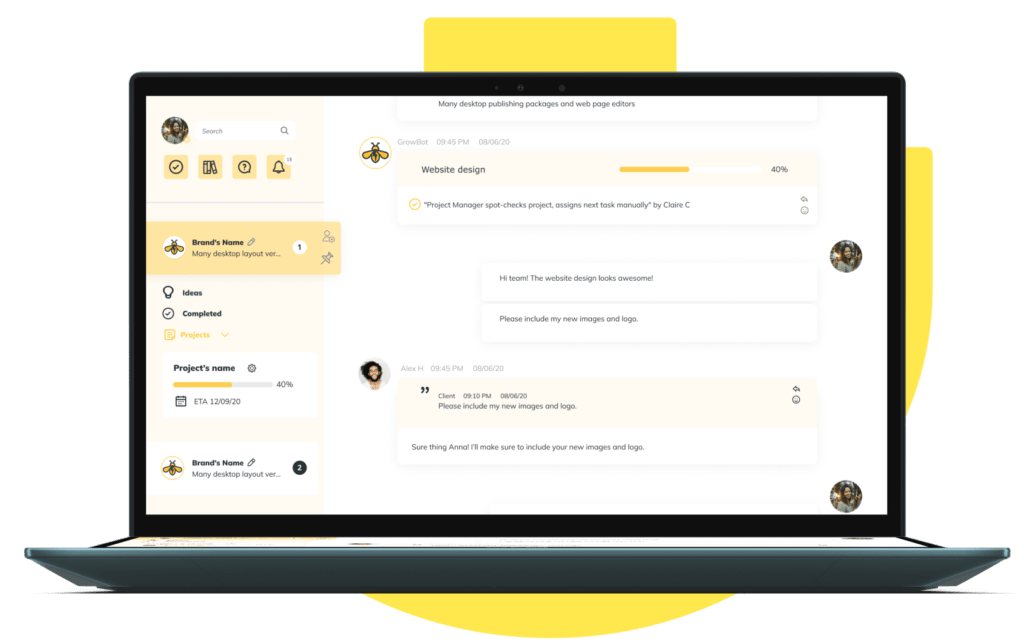
A local conversion platform handles the full path from capture to payment by combining capture widgets and landing pages, AI and templates for nurture, and sales automation for closing and billing. Each stage connects through CRM pipelines, automated reminders, and attribution reporting so businesses can measure the funnel and improve it. Key capture points include website chat widgets, local search profiles, and geo-targeted landing pages; follow-up relies on SMS/email sequences and AI prioritization to lift contact rates; sales automation handles scheduling, invoicing, and task reminders to finish work efficiently. Below are the core conversion mechanisms best platforms provide.
- Lead capture: Widgets, landing pages, and GMB messaging that funnel contacts into the CRM.
- Nurturing: AI-tuned SMS/email sequences and behavior-triggered messaging.
- Sales automation: Pipeline stages, appointment booking, and billing reminders that close the loop.
Those mechanisms create a continuous loop: capture informs nurture, nurture moves leads through the pipeline, and automation helps close the sale while reporting guides future optimization. The table below maps platform features to expected conversion outcomes and typical improvements.
| Feature | Outcome | Typical improvement |
|---|---|---|
| Website chat widget | Immediate lead capture & quick qualification | 15–40% increase in captured leads |
| Automated nurture (SMS/email) | Higher contact & booking rates | 20–60% lift in appointment bookings |
| Pipeline automation & reminders | Fewer dropped leads | 10–30% higher close rates |
What sales automation tools help turn leads into customers?

Sales automation prevents lead drop-off by enforcing consistent pipeline steps and removing manual follow-up that slips through the cracks in busy local operations. Tools like auto-assignment rules, scheduler integrations, automated reminders, and invoicing prompts move a lead through stages—qualification, quote, booking, service, invoice—without constant oversight. A common workflow looks like: lead capture → auto-assign to a rep → calendar invite sent → reminder SMS 24 hours before → post-service invoice reminder. That structure reduces no-shows, shortens cycles, and raises conversion by delivering the right touch at the right time.
Setting these tools up only needs simple rules and templates that match how the business works; once running, they reliably boost throughput. Clear handoffs between marketing capture and sales tasks also make it easy to spot bottlenecks and shift resources to the highest-impact steps.
How does client engagement AI nurture local leads?
Client engagement AI personalizes messages, times outreach for the best response, and adapts sequences based on behavior to lift conversion. The AI scores leads by behavior and source, recommends the next best action (call, SMS, email), and runs multi-channel sequences that reflect local intent and urgency. For example, a high-scoring lead asking for an urgent repair can trigger an immediate SMS and priority assignment to increase contact odds. AI also tests subject lines and content to boost open and click rates, producing measurable gains in engagement.
With AI handling prioritization and message optimization, small teams spend less time guessing who to call and more time servicing qualified opportunities — which raises contact rates and shortens the path to booked work.
Why is our local marketing platform a good fit for small business lead management?
A local-first platform for small businesses focuses on simplicity, local integrations, and managed support so owners don’t need big marketing teams to get results. The platform ties Google Business Profile workflows, social scheduling, reputation management, and a CRM into one place so small teams can manage leads, reviews, and campaigns centrally. Easy interfaces and local-focused automations cut training time and admin burden, while access to marketing experts lets businesses pair automation with strategic advice. Below is a short list summarizing why a local-first solution fits small operators.
- Simplicity: Intuitive interfaces lower onboarding friction and daily overhead.
- Local integrations: Native GMB and social sync improve visibility and response.
- Managed support: Experts supplement in-house skills to speed outcomes.
These points explain why combining software with managed services produces faster, steadier growth for local service providers. The table below describes CRM features that matter for tracking leads and getting the most from local integrations.
| CRM capability | Characteristic | Business benefit |
|---|---|---|
| Lead source attribution | Tracks where each contact came from | Enable budget shifts to the highest-ROI channels |
| Contact timeline | Centralized notes & interactions | Faster, better-informed follow-ups and handoffs |
| Segmentation & tagging | Group by service, neighborhood, or campaign | Targeted nurture sequences with local relevance |
What CRM features optimize local business lead tracking?
Useful CRM features for local businesses include contact timelines, source attribution, tagging, and simple segmentation to match services with neighborhoods or campaigns. Timelines record every touch—call logs, SMS, emails, appointments—so any team member can quickly see history and act without guessing. Source attribution ties each lead to the channel and campaign that produced it, enabling ROI calculations and smarter ad spending. Segmentation supports targeted offers—seasonal promos for neighborhoods or weekday slots for commercial clients.
Start small with a few high-value tags and attribution fields (for example: source, requested service, urgency) so tracking stays actionable rather than overwhelming. That discipline helps the CRM support growth without becoming another administrative burden.
How does our software integrate with Google Business Profile and social media?
Integrations with Google Business Profile (GBP) and social platforms automate local visibility tasks—publishing updates, responding to messages, and requesting reviews—so businesses stay active where search and customers look. Workflows typically include syncing new reviews, sending automated review requests after jobs, auto-publishing local posts, and routing GBP messages into a unified inbox for fast replies. Social scheduling lets teams plan local promotions and track engagement across channels without juggling multiple logins.
Automation between GBP, social channels, and the CRM ensures interactions are captured, responses are timely, and local content stays consistent—improving both discovery and trust for nearby customers.
Which local lead generation strategies get better with our software?
The software enhances channels—PPC, email, SEO, and social—by centralizing tracking, automating qualification, and enabling fast iteration based on performance. Features include landing page templates for local intent, lead routing for ad traffic, automated email sequences to nurture prospects, and reputation programs to boost local SEO signals. Below are core channels and how the platform supports each.
- PPC: Geo-targeted landing pages, conversion tracking, and auto-routing of ad leads.
- Email: Segmented welcome and re-engagement sequences tied to behavior and booking events.
- Local SEO/GMB: Review solicitation and localized content publishing to improve visibility.
Centralized reporting lets owners compare CPL, conversion rates, and cost-per-booking across channels so they can reallocate budgets to the highest-performing strategies.
The table below shows channel, platform capability that enhances it, and the primary KPI to watch.
| Channel | Platform capability | Key KPI |
|---|---|---|
| PPC | Geo-specific landing pages & auto-routing | Cost per booking |
| Behavior-triggered nurture sequences | Conversion rate from lead to booking | |
| Social | Scheduled local content & engagement tracking | Local engagement & referral leads |
How does PPC advertising generate qualified local leads?
PPC drives local leads when campaigns use city- or neighborhood-level targeting, local intent keywords, and landing pages tuned to the service and area. The platform helps by capturing ad clicks with tracking pixels, routing captured leads into CRM pipelines, and applying qualification rules to surface high-intent contacts. Track CPL (cost per lead), landing page conversion rate, and cost per booking to judge whether PPC spend converts to booked work. Ongoing optimization includes testing ad copy, adjusting bids by zip code, and trying landing page variants for specific services.
When PPC leads are routed immediately into automated follow-ups and assignment rules, response times get shorter and conversion chances rise — making PPC reliable when paired with local-focused automation.
How can email marketing nurture and convert local leads?
Email converts local leads by sending segmented, locally relevant content—welcome sequences, service guides, seasonal offers, and re-engagement notes—triggered by behavior and lifecycle stage. Automated sequences welcome new leads, show social proof and local case examples, and present clear booking CTAs tied to availability. Track open rates, click-through rates, and downstream conversion to booked appointments to measure performance and guide A/B tests of subject lines and content.
Paired with behavioral triggers and CRM segmentation, email becomes a low-cost way to nurture leads until they’re ready to book and to re-engage past customers for repeat revenue.
How does AI change local digital marketing with our software?
AI changes local marketing by prioritizing leads, personalizing outreach, and optimizing scheduling and content so small teams work smarter, not harder. Here, AI is the decision layer that scores leads, recommends the next best action, and refines messaging from real responses. Examples include lead scoring that highlights urgent requests, follow-up automation that times messages for best reply rates, and social scheduling that posts when local audiences are most active. The outcome: better contact rates, smarter use of staff time, and stronger performance across channels.
Below is a short EAV table showing AI capabilities, the criteria used, and the practical effect on workflows.
| AI capability | Criteria used | Effect on workflow |
|---|---|---|
| Lead scoring | Behavior, source, recency | Faster prioritization and higher contact rates |
| Follow-up automation | Response patterns & timing | Higher reply rates and fewer lost leads |
| Social scheduling optimization | Engagement history & local patterns | More consistent reach with less manual effort |
What role does AI play in lead scoring and follow-up automation?
AI lead scoring assigns values based on behavior (form fills, page views), source (paid, organic), and recency (time since contact) to label prospects as high, medium, or low priority. Actions tie to scores—high-scoring leads trigger immediate SMS and assignment, medium enters a nurture sequence, low goes into a long-term drip. This triage boosts sales productivity by surfacing the best opportunities and enforcing consistent follow-up that reduces human error. Over time the model learns from outcomes and better predicts who will convert, improving efficiency and rates.
Automated follow-up makes sure high-priority contacts get immediate outreach — crucial for local services where speed often decides who gets the job.
How does AI improve social media management for local brands?
AI helps social media by suggesting locally relevant topics, picking optimal post times, and A/B testing captions to learn what resonates with nearby audiences. For local brands, AI can recommend content tied to seasonal demand, neighborhood events, or service promotions and then schedule posts when followers are most active. Performance aggregation makes KPI tracking simpler—engagement, referral clicks, and local lead attribution—so teams see the real impact of social activity. This reduces planning time and improves consistency, strengthening local presence and referral traffic.
With AI providing content suggestions plus scheduling and analytics, small teams keep a steady, effective social presence without hiring a dedicated social specialist.
How can small businesses get started with our local lead generation software?
Getting started is straightforward: a focused demo, a short discovery phase, and a staged onboarding plan that prioritizes early wins. A good demo clarifies current lead flows, walks through capture and pipeline automations, and ties features to the business’s top KPIs like bookings and CPL. Onboarding usually includes account setup, Google Business Profile and calendar integrations, message and review templates, and brief staff training. The checklist below outlines a recommended demo and onboarding path.
- Discovery call: Tell us your lead sources, busiest services, and main goals.
- Feature walkthrough: See capture widgets, CRM pipelines, AI scoring, and reporting in action.
- Pilot plan: Agree on 30–60 day goals and the automations to launch first.
- Onboarding & training: Configure integrations, create templates, and train your team.
This step-by-step approach lowers friction and focuses setup on the automations that produce measurable bookings quickly — which helps build momentum and buy-in.
The demo agenda below shows what we cover and what to prepare before the walkthrough.
| Demo agenda item | What we cover | What to prepare |
|---|---|---|
| Discovery & goals | Current funnels and KPIs | Recent lead sources & busiest services |
| Feature walkthrough | Capture, nurture, pipeline, AI | Access to GBP and calendar for integrations |
| ROI discussion | Expected improvements and timelines | Recent monthly leads/bookings data |
After the demo and a short pilot, ongoing support from marketing experts helps iterate campaigns and scale winning channels so your initial investment drives predictable results.
What does a local marketing platform demo include?
A solid demo includes discovery, a tailored feature walkthrough specific to your vertical, example workflows that mirror your business processes, an ROI conversation, and clear next steps for a trial or pilot. The discovery phase surfaces pain points—missed calls, inconsistent follow-up, unclear attribution—so the demo focuses on automations that fix those problems. The walkthrough highlights lead capture, pipeline automation, AI scoring, and reputation workflows with examples for trades, salons, or restaurants. Finally, the demo recommends an initial pilot scope and expected timelines for measurable improvements.
Bringing basic metrics—current monthly leads, booking rates, and primary ad channels—makes the demo actionable and speeds the move from evaluation to results.
How do our marketing experts support your business growth?
Our marketing experts add strategy, creative, execution, and ongoing optimization to complement platform automation and accelerate outcomes. They design local PPC, build nurture sequences, run review request programs, and analyze attribution to redirect budget to top performers. Engagement options range from short setup projects to managed monthly services where experts run campaigns and report against agreed KPIs. The human layer fills gaps technology can’t—creative testing, local offers, and seasonal planning—so automation and expertise work together to drive growth.
Pairing expert-managed services with an all-in-one platform lets businesses scale marketing without hiring large in-house teams, delivering faster, more predictable growth tailored to local markets and customer habits.
109 Harrison Ave, Suite 4, Panama City, FL, 32401
Local Digital Buzz is a marketing and advertising partner for local businesses. Owners who want to see how integrated software and managed services work together can request a demo or talk with our team to plan a tailored pilot.
Joshua Fleming coordinates outreach and onboarding for interested local operators.
Advances in automation technology are reshaping digital marketing, especially for small businesses focused on efficiency and measurable results.
Automation Technology in Digital Marketing for Small Businesses
ABSTRACT: Rapid advances in automation are changing how small businesses approach digital marketing. This study examines the use of automation tools—CRMs, email automation, social media managers—and their role in streamlining processes, improving customer engagement, and boosting marketing effectiveness for small enterprises. Through case studies and real-world examples, the research shows how automation aids lead generation, customer retention, and data-driven decisions. The findings indicate that adopting automation can increase marketing efficiency and better allocate limited resources for small businesses.
Frequently Asked Questions
What types of businesses can benefit from local lead generation software?
Local lead software is especially useful for small, service-focused businesses — plumbing, landscaping, HVAC, home repair, and similar trades. These companies rely on nearby customers and need reliable systems to capture leads, manage follow-ups, and turn inquiries into booked jobs. Local retail businesses can also use this software to improve visibility and drive foot traffic.
How does automation improve customer engagement in local marketing?
Automation keeps communication timely and relevant. Systems can send personalized messages, reminders, and follow-ups based on customer behavior so businesses stay top-of-mind without overwhelming staff. That consistent contact increases conversion chances and creates a smoother customer experience while letting teams focus on service delivery.
What role does reputation management play in local lead generation?
Reputation management directly affects trust and buying decisions. Positive reviews and strong Google Business Profile ratings boost visibility in local search. Good reputation practices include asking for reviews after jobs, responding to feedback, and addressing negative comments quickly. A strong online reputation attracts more leads and helps convert them.
How can small businesses measure the effectiveness of their lead generation efforts?
Measure lead generation with KPIs like conversion rate, cost per lead (CPL), and return on investment (ROI). Tracking these shows which channels and tactics perform best. Using a CRM to analyze lead sources and interactions gives additional insights for data-driven adjustments that improve outcomes.
What are the advantages of integrating AI into local marketing strategies?
AI brings better lead scoring, more personalized messaging, and smarter scheduling. It can analyze behavior to prioritize leads so high-potential prospects get immediate attention. AI-driven automation tailors outreach to customer journeys, improving engagement and conversion while letting small teams work more efficiently.
How does local SEO impact lead generation for small businesses?
Local SEO helps businesses appear when nearby customers search for services. Optimizing for local keywords, managing Google Business Profile, and encouraging reviews all improve visibility and drive more local traffic. Effective local SEO makes businesses easier to find and increases inquiries and conversions.
What steps should small businesses take to get started with local lead generation software?
Start with a discovery call to define needs and goals, then join a demo to see features in action. After choosing a platform, focus onboarding on integrations, template creation, and staff training. Clear initial objectives help show value quickly and encourage regular use of the software.
Conclusion
Our platform helps small businesses simplify lead generation, improve local visibility, and boost ROI through practical automation. With AI-driven follow-ups and reputation tools plus optional expert support, businesses convert more leads, save time, and grow sustainably. See how it can work for your business by requesting a demo today.