Skip to main content


|
Listen to Todays Featured Blog ????
Getting your Trinity Audio player ready...
|
Table of Contents
ToggleBoost Local SEO with Schema Markup - Structured Data Tips
Schema Markup for Local SEO: A practical guide to boost your local visibility
Local business schema is structured data you add to web pages so search engines clearly understand who you are, what you offer, where you operate, and when you serve customers. Implemented correctly, it increases your eligibility for rich results and improves local visibility. This guide explains how LocalBusiness schema works, supplies ready-to-use JSON-LD examples, walks through CMS-specific implementation options, and outlines validation and measurement steps that link schema changes to measurable local SEO outcomes. Many small business owners and local service providers wrestle with inconsistent NAP (name, address, phone) records, missing service descriptions, and the technical friction of adding JSON-LD or microdata — this article fixes those pain points with step-by-step instructions, copy‑paste snippets, testing checklists, and KPI mapping. You’ll learn which schema types matter most, how to add schema manually or with common CMS plugins, how to validate markup with Google’s tools, and how to measure impacts on impressions and click-through rate. We also cover relevant semantic SEO techniques, EAV comparisons, and brief vendor-side options if you prefer a hands‑off setup.
What Is Local Business Schema and Why Is It Important for Local SEO?
LocalBusiness schema (via Schema.org and JSON‑LD) encodes your business identity, location, contact details, opening hours and services in machine-readable form so search engines can parse and present that information as rich results. Giving search engines explicit fields — address, geo coordinates, openingHours, aggregateRating — reduces ambiguity and helps your listings appear in the local pack and knowledge panels. Proper schema improves discoverability by matching concrete attributes to local queries, which often leads to better indexing and more relevant exposure. Knowing how this works lets you create precise markup that supports local search performance and builds user trust.
How Does Structured Data Improve Local Search Rankings?
Structured data feeds search engines explicit entity attributes that act as context and relevance signals alongside on-page content and external citations. When a page includes address, geo, and openingHours, search engines can more confidently match the business to geographically focused queries, raising the chance of appearing in the local pack or featured snippets. Structured data doesn’t reprogram core ranking algorithms, but it boosts visibility by enabling rich results and by reducing ambiguity during entity resolution — which can indirectly improve local rankings. For example, adding geo‑coordinates and service offerings for a multi-service provider lets Google surface specific services in local queries and map results, which typically lifts click-through rates.
What Are the Key Benefits of Schema Markup for Local SEO?
Here are the primary, measurable benefits to prioritize before you dive into code and testing.
- Improved visibility: Correct schema makes pages eligible for knowledge panels, local pack features, and other rich results — increasing organic exposure on search and maps.
- Higher click-through rate: Rich snippets (ratings, FAQs, service highlights) add visual prominence and trust signals that usually boost CTR versus plain listings.
- Accurate business information: Schema helps enforce consistent NAP and service definitions, reducing misinformation and ensuring search engines show correct details to customers.
Those advantages make a clear case to implement schema correctly — next we cover the actual methods, JSON‑LD examples and common plugin workflows.
How Do You Add Local Business Schema Markup to Your Website?

You can add Local Business schema manually with JSON‑LD, through CMS plugins that auto‑generate markup, or by having developers output microdata or server-generated JSON‑LD for tight backend integration. Manual JSON‑LD gives you the most control and portability across platforms; plugins simplify field mapping and dynamic updates for non-technical site owners; developer implementations are best for multi‑location setups or dynamic catalogs because they reduce duplication and maintenance effort. Below are step-by-step options and a short comparison to help you choose the right path.
What Are the Step-by-Step Methods to Implement Local Business Schema?
Follow this core sequence whether you’re doing it yourself, using a plugin, or working with a developer.
- Identify required properties: Gather authoritative values for name, address, telephone, openingHours, geo, and sameAs before you build markup.
- Build JSON‑LD: Create a JSON‑LD script using Schema.org’s LocalBusiness or a more specific subtype, and populate required and recommended fields.
- Insert and deploy: Place the JSON‑LD in the page header or body, or use a CMS plugin/module to inject it dynamically so it appears on the correct pages.
- Validate and monitor: Run pages through structured data tools and monitor Search Console (or your platform) for coverage and enhancement reports.
Following these steps keeps implementation consistent and gives you a clear validation path. The next section lists tools and plugins that automate much of the work.
Which Tools and Plugins Help with Local Business Schema Implementation?
A number of plugins and developer libraries reduce manual effort by mapping CMS fields to JSON‑LD automatically — though each has tradeoffs. WordPress schema plugins typically provide field forms, conditional output, and block-level insertion suited to single-location businesses. Shopify and other hosted platforms use apps that merge product and location data into structured output. Developer libraries and schema generators can programmatically build JSON‑LD from database records for multi‑location sites, which improves consistency and cuts human error. Choose based on how much customization you need, how often data changes, and whether you have developer support.
Implementation Methods Comparison
Intro: Quick comparison of manual JSON‑LD, CMS plugins, and developer-generated microdata so you can pick the best fit.
| Approach | Implementation Method | Notes / Best Use |
|---|---|---|
| Manual JSON-LD | Best for precise control and single pages; easy to copy‑paste and test | |
| CMS Plugin | Use platform-specific plugins to map fields to schema | Ideal for non-technical owners and dynamic content; may restrict custom fields |
| Developer Microdata/Server JSON-LD | Generate markup from backend models or templates | Best for multi-location sites and frequent updates; requires dev resources |
Summary: Choose manual JSON‑LD for control, plugins for ease, and developer-generated markup for scale. Balance flexibility against maintenance overhead.
If you prefer a hands-off option, marketing and advertising providers typically offer schema mapping, JSON‑LD insertion, and validation monitoring as managed services — a practical bridge between strategy and technical deployment for small business owners and local providers.
What Types of Structured Data Are Best for Local Search Optimization?
Certain Schema.org types deliver stronger local relevance and better rich result opportunities. Start with LocalBusiness or an industry-specific hyponym, then layer Service, Review, FAQPage, Event and Product where appropriate. Choosing the right type avoids type-mismatch errors and helps search engines surface the best features for local queries. Mapping entities — e.g., ProfessionalService, Restaurant, Store — and populating required properties increases your chance of review snippets, FAQ expansions, and event displays. The table below helps you match types to your business quickly.
How to Use Schema.org Types for Local Businesses Effectively?
Match your real-world business model to the right schema type and prioritize required properties to maximize rich result eligibility. For example, a barber should use ProfessionalService and include serviceType or serviceOffered; a restaurant should use FoodEstablishment with menu and servesCuisine fields. Core fields typically include name, address, telephone and aggregateRating (if you have reviews). Optional fields like priceRange, sameAs and openingHours add context and build trust. Accurate mapping reduces validation errors and helps search engines show the most useful snippets to local searchers.
Schema Types Comparison
Intro: Use this quick reference to pick schema types for common local SEO scenarios.
| Schema Type | Required / Important Attributes | Typical Use Case |
|---|---|---|
| LocalBusiness / ProfessionalService | name, address, telephone, openingHours | Single-location service providers — law firms, salons, clinics |
| Service | serviceType, provider, areaServed | Businesses that offer distinct service categories or packages |
| Review / AggregateRating | ratingValue, reviewCount, author | Where customer ratings exist and you want stars in SERPs |
| FAQPage | mainEntity (Question/Answer pairs) | Common customer questions that can appear as expanded snippets |
Summary: Begin with LocalBusiness or the closest hyponym, then add Service, Review and FAQ schema where relevant to capture rich result opportunities and answer common customer queries.
If you’d rather outsource type selection and mapping, implementation audits are widely available. These audits typically include schema type selection, property mapping and a prioritized deployment plan tailored to your business goals.
What Role Do Rich Snippets Play in Enhancing Local Business Listings?
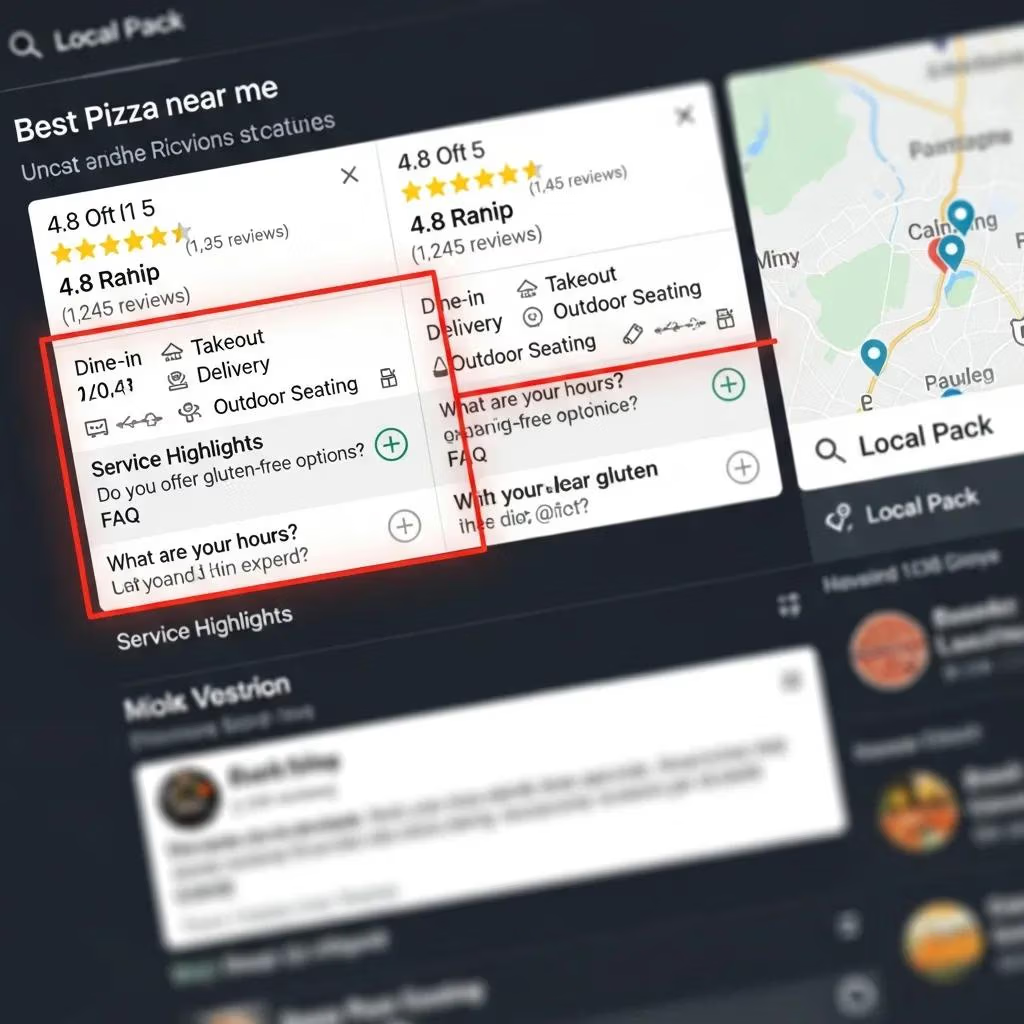
Rich snippets turn structured data into visible enhancements in search results — star ratings, FAQ accordions, service highlights — that increase perceived relevance and trust. For local businesses, snippets can appear in organic results, the local pack and knowledge panels, offering users quick actions like directions, phone calls or bookings. Those visual cues tend to raise CTR and reduce friction for users seeking immediate answers. In short, rich snippets act as both trust signals and direct engagement levers for local searchers.
How Can You Test and Validate Your Local Business Schema Markup?
Testing and validation ensure your markup is syntactically correct and semantically aligned with Schema.org and search engine expectations. Always validate sample JSON‑LD and live pages before and after deployment. Key tools include Google’s Rich Results Test for eligibility checks, schema validators for structural integrity, and Search Console for monitoring enhancement reports and coverage issues. A reliable workflow is local testing → staging deployment → live validation → scheduled monitoring to catch regressions after site changes. Below are recommended tools and a short checklist to speed troubleshooting.
Which Tools Are Best for Schema Markup Testing and Validation?
Use a compact toolset that covers pre-deployment and post-deployment checks so you catch issues early and track ongoing performance. Run a JSON‑LD linter or schema validator to confirm syntax and types, run eligibility tests to see supported rich features, and use platform reports (Search Console or equivalents) to monitor enhancements and alerts. Together, these tools form a validation pipeline that reduces time-to-fix and keeps structured data consistent.
- Intro: The following tools are commonly used for validation and their main use cases.
- Rich Results Test: Verifies eligibility for Google’s rich features on sample markup or a live URL.
- Schema validator / linter: Confirms JSON‑LD syntax and correct property structures programmatically.
- Search platform reports: Monitors coverage, enhancements and flagged errors after deployment.
Summary: Combine syntax validators with eligibility testers and platform monitoring to keep a reliable validation workflow and reduce the risk of losing rich result features after updates.
What Are Common Errors to Avoid in Local Business Schema?
Watch for inconsistent NAP across pages and external listings, missing required properties for the chosen schema type, wrong formats for dates or geo coordinates, and incorrect nesting that breaks object structures. Avoid deprecated types and type mismatches — for example, using a generic LocalBusiness when a specific hyponym fits better. Another common problem is duplicate or conflicting markup from multiple plugins or templates; consolidate generation into a single source of truth. A regular validation and monitoring cadence helps surface and fix these issues quickly.
How Does Schema Markup Impact Local SEO Performance and User Engagement?
Schema markup influences measurable KPIs — impressions, CTR, clicks and local pack inclusion — by making listings more informative and eligible for attention-grabbing features. While direct ranking shifts depend on many signals, schema reliably improves visibility and CTR, which you can track in analytics and search reports. Attribution works best with controlled tests (pre/post windows or A/B deployments) and by documenting baseline metrics before making schema changes. The table below ties schema attributes to measurement approaches so you can turn implementation work into business metrics.
What Metrics Show the Benefits of Structured Data for Local Search?
Key KPIs include impressions (visibility), CTR (engagement per impression), clicks (traffic) and conversions (calls, bookings). Track impressions and CTR in Search Console to spot rich result effects, use analytics to measure landing page clicks, and instrument calls or form submissions to connect visibility gains to business outcomes. Attribution is rarely perfect, so use short controlled tests where possible and keep a simple reporting template to communicate results.
| Metric | How Schema Affects It | Measurement Approach |
|---|---|---|
| Impressions | Eligibility for rich features increases appearance counts | Track impressions in Search Console or equivalent over a pre/post window |
| CTR | Rich snippets add visual prominence that raises click rate | Compare CTR by query and page before and after schema changes |
| Clicks | Higher CTR drives more organic clicks and local traffic | Monitor landing page sessions and organic referral sources |
| Local Pack Visibility | Clear location and service attributes improve inclusion in the local pack | Track local pack rankings and map impressions for target queries |
Summary: Use a mix of search platform reports and analytics to measure schema’s downstream effects, and apply controlled pre/post windows for clearer attribution.
The value of schema is that it helps search engines understand your pages and improves user engagement metrics when done right. Schema markup is optional code you add to a page to clarify content for search engine crawlers; when accurate, it can improve rankings and CTR. If markup is incorrect or misleading, it may be ignored or trigger errors, so accuracy matters.
Schema Markup for Search Engines: Enhancing rankings and CTR
This chapter explains schema markup as optional code that helps search engines interpret a page’s purpose. When implemented accurately, schema can improve ranking signals and increase click-through rates from search results. Incorrect or misleading markup can be ignored or cause errors, so follow Schema.org and search engine guidance.
How Do Rich Snippets Increase Click-Through Rates for Local Businesses?
Rich snippets boost CTR by surfacing visual signals — ratings, service highlights, FAQs — that match user intent and reduce uncertainty. For local queries, fields like aggregateRating and openingHours answer practical questions right in search results, while FAQ schema provides concise answers that keep users engaged. Social proof (ratings, review excerpts) also raises perceived authority and nudges clicks. Ultimately, structured snippets both increase click likelihood and improve traffic quality by better matching intent.
What Are Best Practices for Maintaining and Updating Local Business Schema?
To prevent stale or incorrect structured data from hurting performance, follow a maintenance plan that mixes scheduled audits, event-driven updates and automated monitoring linked to your CMS workflow. Keep schema templates in version control, maintain a single source-of-truth for business attributes, and log schema changes to avoid regressions during site updates. Automation options include scheduled validation scripts and integrating search platform alerts so errors are flagged quickly. Below is a recommended cadence and an automation checklist to keep structured data accurate.
How Often Should You Review and Update Your Schema Markup?
Use a combination of regular checks and event-driven updates. Do monthly spot‑checks for critical pages and full audits quarterly to catch structural issues before major site changes. Update schema immediately for business‑critical events like new locations, major service changes or temporary hours (holidays). A steady cadence prevents small data drift from becoming a visibility problem.
- Monthly spot-checks: Validate a sample of high-traffic pages for syntax and coverage.
- Quarterly audits: Run full structured data audits and reconcile with authoritative business records.
- Event-driven updates: Immediately update schema for location changes, new services, or hours adjustments.
Summary: Balancing routine cadence with event-driven updates keeps maintenance effort reasonable while protecting search presence.
Following “white hat” SEO practices ensures structured data benefits users and search engines alike. White‑hat SEO means publishing pages that are genuinely useful to people and adding structured data so machines can better understand your content. Practical examples (such as enhancing library branch pages with location and hours) show how layering schema progressively improves clarity and utility beyond search engine benefits.
White Hat SEO: Structured data that helps people and machines
“White hat” SEO means building pages that are useful to humans while enabling search engines and apps to understand page structure and content. Adding structured data—correctly and transparently—helps connect users to locations, hours and contact details, and unlocks additional visibility and features.
If you want ongoing monitoring or periodic audits, many marketing and advertising firms bundle scheduled validation, Search Console monitoring, and prioritized remediation as part of maintenance offerings. These services are designed to keep schema accurate and to protect your local search performance over time.
What Are the Latest Schema Markup Trends for Local SEO?
Recent trends include richer service modeling, deeper review detail, and more structured Q&A to answer intent directly in snippets. There’s also growing adoption of more specific Schema.org hyponyms to reflect verticals accurately, plus wider use of actionable properties like offers and potentialAction to support transactions. Keep an eye on Schema.org change logs and search engine guidance so you can adopt new opportunities safely as they gain support.
How Often Should You Review and Update Your Schema Markup?
(Repeated to maintain original structure) Regular monitoring and immediate updates on business-change events help prevent stale data and keep eligibility for local SERP features. Pair monthly lightweight checks with quarterly comprehensive audits to verify structural correctness and alignment with evolving Schema.org practices. Trigger immediate updates and validation for critical changes such as new locations, added services, or holiday hours.
- Intro: The checklist below summarizes a recommended maintenance rhythm and triggers for updates.
- Monthly spot-checks: Validate a sample of high-traffic pages for syntax and coverage.
- Quarterly audits: Run full structured data audits and reconcile with authoritative business records.
- Event-driven updates: Immediately update schema for location changes, new services, or hours adjustments.
Summary: Combining regular cadence with event-driven updates balances operational overhead with the need for accuracy and continuity in local search presence.
The evolution of structured data — driven by Schema.org, knowledge graphs and richer metadata vocabularies — continues to change how companies model their online presence for search engines. Staying current with these changes helps you leverage new structured data capabilities as they become relevant to local search.
Schema.org: Modeling search with structured data
Advances in structured data modeling and knowledge graphs let organizations use richer metadata vocabularies to make their content more discoverable and machine-friendly. Staying informed helps you adopt new capabilities safely and effectively.
For ongoing monitoring or periodic audits, many marketing and advertising providers include those services as part of a maintenance package — typically combining scheduled validation, Search Console monitoring and prioritized remediation for flagged issues.
What Are the Latest Schema Markup Trends for Local SEO?
(Repeated to preserve original layout) Current trends emphasize richer service modeling, expanded review detail, and more structured Q&A to answer searcher intent directly. Adoption of more specific schema hyponyms and actionable properties like offers and potentialAction continues to rise as search engines expand rich result support. Monitor Schema.org and search engine documentation to adopt trends safely.
Frequently asked questions
What’s the difference between JSON-LD and microdata for schema markup?
JSON‑LD embeds structured data in a script tag, making it easier to manage and less intrusive to your HTML. Microdata adds attributes directly to HTML elements, which can complicate markup and maintenance. For most sites, JSON‑LD is the recommended, more flexible option.
How can I make sure my schema markup follows Google's guidelines?
Use Schema.org vocabulary, include required properties for each type, and validate your markup with tools like Google’s Rich Results Test and a schema linter. Keep an eye on search engine guidance and fix errors flagged in Search Console to maintain eligibility for rich results.
Can schema markup help with voice search?
Yes. Structured data helps search engines understand content better, which matters for voice queries that often expect direct answers. Implementing FAQ schema or clear question/answer pairs can increase the chance your content is used for voice responses.
What common mistakes should I avoid when implementing schema?
Avoid using incorrect schema types, leaving out required properties, and having inconsistent NAP across sources. Also prevent duplicate or conflicting markup from multiple plugins. Regular validation and audits are the best defenses.
How does schema markup affect mobile SEO?
Schema helps surface quick, useful information in mobile search where users want immediate answers. Rich snippets like ratings, hours and service details improve visibility and CTR on mobile, which is especially valuable for local businesses seeking nearby customers.
What role does user-generated content play in schema markup?
User-generated content (reviews, ratings) matters a lot. Implement Review and AggregateRating schema types to surface customer feedback in search results — this builds trust and can improve click-through and conversion rates.
Conclusion
Local Business schema is a high-impact, low-friction way to improve local visibility and make your business easier to find. When implemented accurately, structured data ensures correct business representation, increases the chance of rich results, and lifts click-through rates and user trust. If you’re ready to take the next step, use the examples and checklists in this guide, or consider a managed implementation if you prefer to outsource the technical work. Start improving your local presence today.