Skip to main content


|
Listen to Todays Featured Blog ????
Getting your Trinity Audio player ready...
|
Table of Contents
ToggleBoost Your Business: Strategies to Respond to Google Reviews
Practical Google Review Management for Local Businesses — Protect Your Reputation and Drive Growth
Google review management is the set of repeatable steps a local business uses to collect, respond to, and use customer feedback on Google so it builds trust, boosts local search visibility, and generates more leads. When you understand how review signals — rating value, review count, recency, and keyworded review text — influence both consumer decisions and your Google Business Profile’s relevance, reviews become a measurable growth channel. This guide walks small and medium local businesses through end-to-end review management: optimizing your Google Business Profile, generating genuine review volume, automating review requests, replying on-brand to feedback, and tracking the KPIs that move the needle. You’ll get tactical scripts, channel lists with example asks, EAV-style comparison tables for tools and KPIs, and step-by-step actions built for 2024’s local search landscape. Read on to learn how to protect your local footprint, improve your Google star rating, and turn customer feedback into real SEO and lead-generation results.
Why Google Reviews Matter for Local Business Success
Google reviews act as a public trust signal that affects both consumer choices and local search ranking. They supply social proof, highlight quality, and create fresh content search engines use when deciding local pack placement. Reviews are firsthand accounts prospective customers rely on to judge credibility; the combined rating and the pace of new reviews feed into local ranking signals that influence discoverability and click-through rates. For local businesses, a steady stream of authentic, recent reviews can raise conversions, strengthen local SEO, and create a reputational edge in competitive neighborhoods. Thinking of reviews as core reputation work — not optional marketing — helps prioritize collection and response.
Google reviews matter for four practical reasons:
- Trust and social proof: Higher star ratings raise perceived reliability and reduce purchase hesitation.
- Conversions: Specific, positive reviews increase clicks, calls, and bookings from search results.
- Local SEO signals: Review count, ratingValue, and recency are inputs that affect local pack relevance.
- Operational feedback loop: Reviews surface issues and opportunities that improve service and lower churn.
These outcomes make review strategy a measurable investment. If you need help turning reviews into growth, Local Digital Buzz — a marketing and advertising agency — specializes in reputation and lead generation. Their client engagement tools include an Advanced Review Request Campaign that raises review velocity and quality while keeping the focus on authentic customer experiences.
How Google Reviews Shape Customer Trust and Buying Decisions
Reviews build trust because they’re third-party accounts of real experiences — and customers trust them more quickly than branded content. People scan for recent reviews and specific details like wait times, staff friendliness, or results; those micro-details reduce perceived risk and increase willingness to pay. Recent 2024 research shows recency and authenticity matter: customers favor reviews from the last 3–6 months and penalize profiles with low response rates or duplicated text. A single specific five-star review that names the exact service often drives more click-to-call or bookings than a generic rating; details make reviews believable. That chain — review → credibility → conversion — explains why monitoring sentiment is as important as growing volume.
Studies show review recency and authenticity strongly shape customer perception and purchase behavior.
Google Business Profile Optimization for Local Retailers
This research documents why local optimization matters for retail businesses and offers practical recommendations for improving Google visibility. It explains how correct microdata and profile details can help retailers rank better in the Local Pack, increase organic traffic, and improve conversions, using an example from a Ukrainian retailer to illustrate the approach.
Business optimization in the digital age: Insights and recommendations, A Natorina, 2020
What Role Do Google Reviews Play in Local SEO?
Google reviews feed local relevance through structured components: aggregate rating (ratingValue), reviewCount, and review text that naturally includes service- or location-specific keywords. Search engines use these pieces as signals of prominence and relevance. Review velocity — how many new reviews arrive over time — and recency act as freshness indicators that can help nudge local pack placement. Practically, optimize your Google Business Profile to highlight strong reviews, encourage natural keyworded descriptions from happy customers, and monitor your review counts versus nearby competitors. Those actions strengthen both relevance and prominence in local search.
An active, accurate Google Business Profile is critical for appearing in local search and connecting with customers.
Impact of Google Business Profile on Local Business Success
This study examines how Google Business Profiles (GBPs) help businesses appear in local search and connect with potential customers. It reviews how accurate profile details — location, contact info, hours, website link, reviews, and images — influence consumer choice and visibility on Google Maps and local search.
A STUDY ON THE IMPACT OF GOOGLE BUSINESS PROFILE ON BUSINESS SUCCESS, B Sharma, 2025
How to Optimize Your Google Business Profile for Easier Review Management
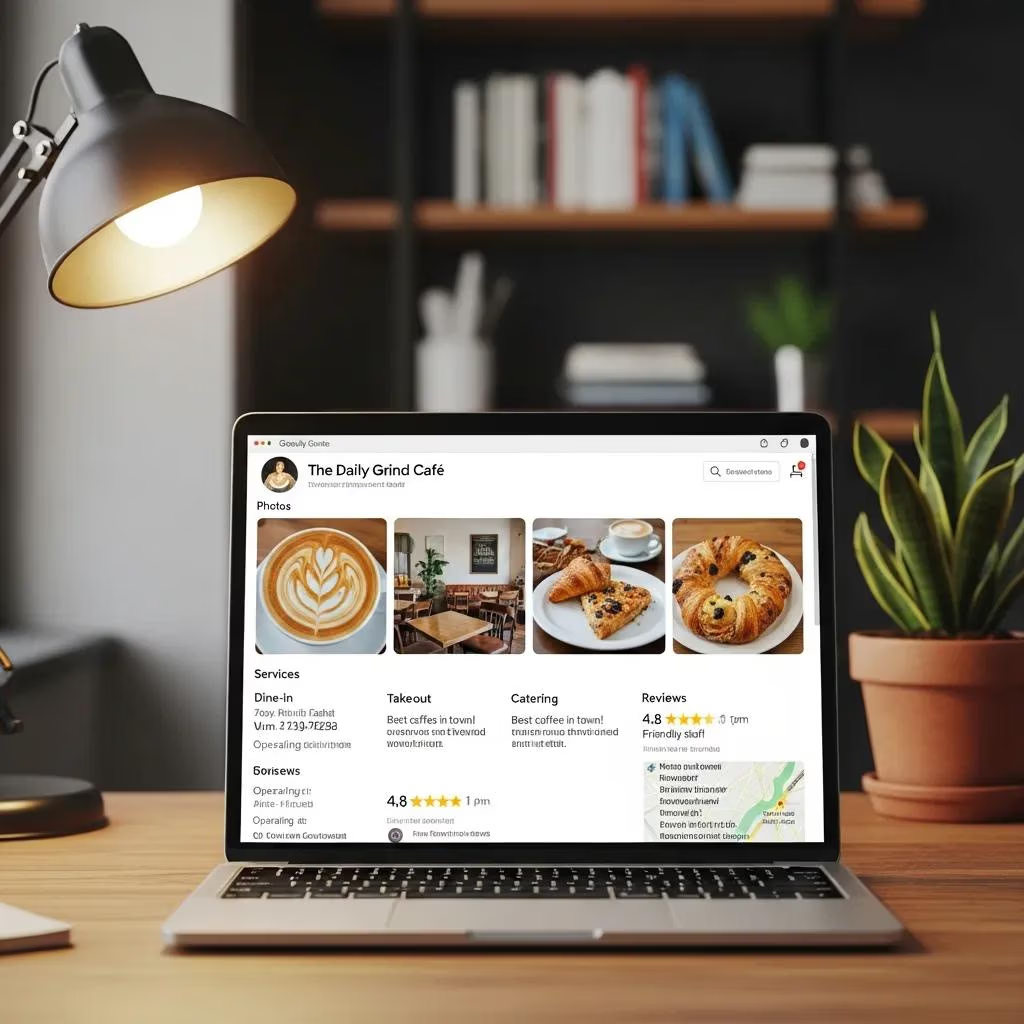
Optimizing your Google Business Profile (GBP) builds the foundation that makes reviews simple to collect and display. A complete, accurate profile removes friction for leaving feedback, increases click-throughs, and gives you places to showcase review highlights via posts and service listings. Start by fixing core fields and enabling features that make it easy for customers to leave reviews. A systematic GBP process strengthens your local reputation strategy and supports ongoing review management.
Start with these essential setup steps before launching review campaigns:
- Claim and verify your Google Business Profile: Ownership unlocks review responses and analytics.
- Complete profile fields: Choose the right categories, add attributes and photos, and keep descriptions current.
- Add services and products with clear names: Structured entries help match review text to offerings.
- Create short, shareable review CTAs: Pin a review CTA in messages and print it on receipts to lower friction.
Accurate profiles improve discoverability and trust, which increases the likelihood satisfied customers will leave reviews. The next section covers verification best practices and common pitfalls.
Best Practices for Claiming and Verifying Your Google Business Profile
Claiming and verifying your GBP is the first step to managing reviews and accessing analytics; it proves you control the business. Use consistent NAP (name, address, phone) across listings, pick the most relevant primary and secondary categories, and add accurate hours and service-area details where relevant. Upload clear photos that reflect your services and write a natural profile description that mirrors how customers search. If issues appear — duplicate listings, address mismatches, or category errors — use Google’s support flow and fix directory inconsistencies to avoid verification delays.
Keeping these basics accurate reduces admin friction and makes review-generation efforts reach the right customers. The next section shows how to create easy review links and ask at the right times.
Thorough profile completion, active review management, and regular updates are key to improving online visibility.
Optimizing Google Business Profile for Online Visibility and Client Acquisition
This paper applies the SOSTAC framework to optimize a brand’s Google presence. Using qualitative analysis, it shows how complete profiles, proactive review management, and regular content updates can dramatically increase profile views — illustrating the approach with Glowmax’s results.
Strategi Optimalisasi Google Profile Business dalam Meningkatkan Visibilitas Online Glowmax, CS Barkah, 2025
How to Create Frictionless Review Links and Encourage Feedback
Make it as easy as possible for customers to leave reviews: a one-click review link or a QR code on receipts turns intent into action. Provide short, branded instructions with the link or QR code and include them in post-service SMS, checkout receipts, and email follow-ups. Use micro-copy that names the service and asks for honest feedback to increase review relevance. Test links and QR codes across devices so customers land directly on the review form.
Small UX touches — pre-filled suggestions about what to mention and a clear thank-you confirmation — lift completion rates and bring better-quality reviews into your Google Business Profile.
Proven Ways to Get More Google Reviews
Consistently generating legitimate Google reviews takes the right timing, channel mix, and ask wording — all while staying within Google’s policies. The highest-performing tactics request reviews shortly after a positive experience, use the channels customers prefer, and provide a clear, frictionless path for submitting feedback. Pairing in-person asks with automated follow-ups creates sustainable review velocity without incentives that violate policy. Below are practical tactics you can start using today.
Key tactics to generate more reviews:
- In-person requests: Train staff to ask at the moment of delight and offer a QR code for the customer’s device.
- Post-transaction SMS: Send a short, personalized SMS within 24–72 hours with a direct review link.
- Email follow-ups: Send a brief email referencing the specific service and include the direct review link.
- Receipts and packaging: Print a QR code and a short prompt explaining what to mention in the review.
These tactics work best when combined into a repeatable cadence. The next subsection covers timing and sample scripts to make asks feel natural and specific.
When and How to Ask Customers for Google Reviews
Timing matters: ask while the experience is still fresh — typically 24–72 hours for quick services or 3–7 days for longer engagements — so details are easy to remember. Personalize the ask by naming the service, staff member, or outcome to help customers recall specifics. Keep the request simple, never offer incentives that break Google’s rules, and provide a clear link or QR code so customers can act immediately. Use a friendly tone and include an optional prompt like “What did you value most about your visit?” to guide useful responses.
Consistent timing plus personalization increases both quantity and usefulness of reviews, which boosts local SEO relevance and conversion rates.
Intro to the channel comparison table: Each channel needs slightly different phrasing and timing to maximize response rates. The table below compares common channels and includes short script examples you can adapt.
| Channel | Best Practice | Example Script |
|---|---|---|
| In-person (QR) | Ask right after the service; offer a QR code on staff device or receipt | “If you have a moment, please scan this QR to share feedback about your visit today — it helps others find us.” |
| SMS | Send within 24–72 hours; keep it short and personal | “Hi [Name], thanks for visiting. Could you rate your experience with [service]? Tap to leave feedback.” |
| Use within 48 hours for detailed services; include a direct link | “Thanks for trusting us with [service]. Would you share a quick review about your experience?” | |
| Receipt/Packaging | Include a QR code and a brief prompt at handoff | “Loved your service? Scan to leave a review — we appreciate honest feedback.” |
Use this matrix to tailor timing and micro-copy across touchpoints. Treat these scripts as starting points and refine them based on what your customers respond to.
Tools and Campaigns That Automate and Improve Review Requests
Automation tools and campaign types — triggered messages, drip sequences, POS integrations — let you scale review generation while keeping messages personal with dynamic fields and timing optimization. Triggered campaigns send an ask right after a verified event; drip campaigns follow up at set intervals if no review appears. POS and CRM integrations ensure invites go only to verified customers, reducing spam and boosting authenticity. Build monitoring and follow-up flows that include gentle reminders and an escalation plan for unhappy customers so issues get resolved offline before becoming public reviews.
When evaluating solutions, an EAV-style feature comparison helps identify which capabilities matter most for multi-location or high-volume operations.
| Solution Capability | Attribute | Value |
|---|---|---|
| Automation | Triggered and drip messaging | Sends review invites based on verified events to increase authenticity |
| Personalization | AI-driven dynamic content | Tailors asks with service names and staff references to boost response relevance |
| Integrations | POS, CRM, and messaging channels | Ensures only valid customers receive review requests to maintain policy compliance |
Choose automation that emphasizes verified-event triggers, personalization at scale, and analytics that report on review velocity and conversion. The right tools can significantly increase legitimate review volume while freeing staff for higher-impact work.
How to Respond to Google Reviews to Improve Customer Engagement
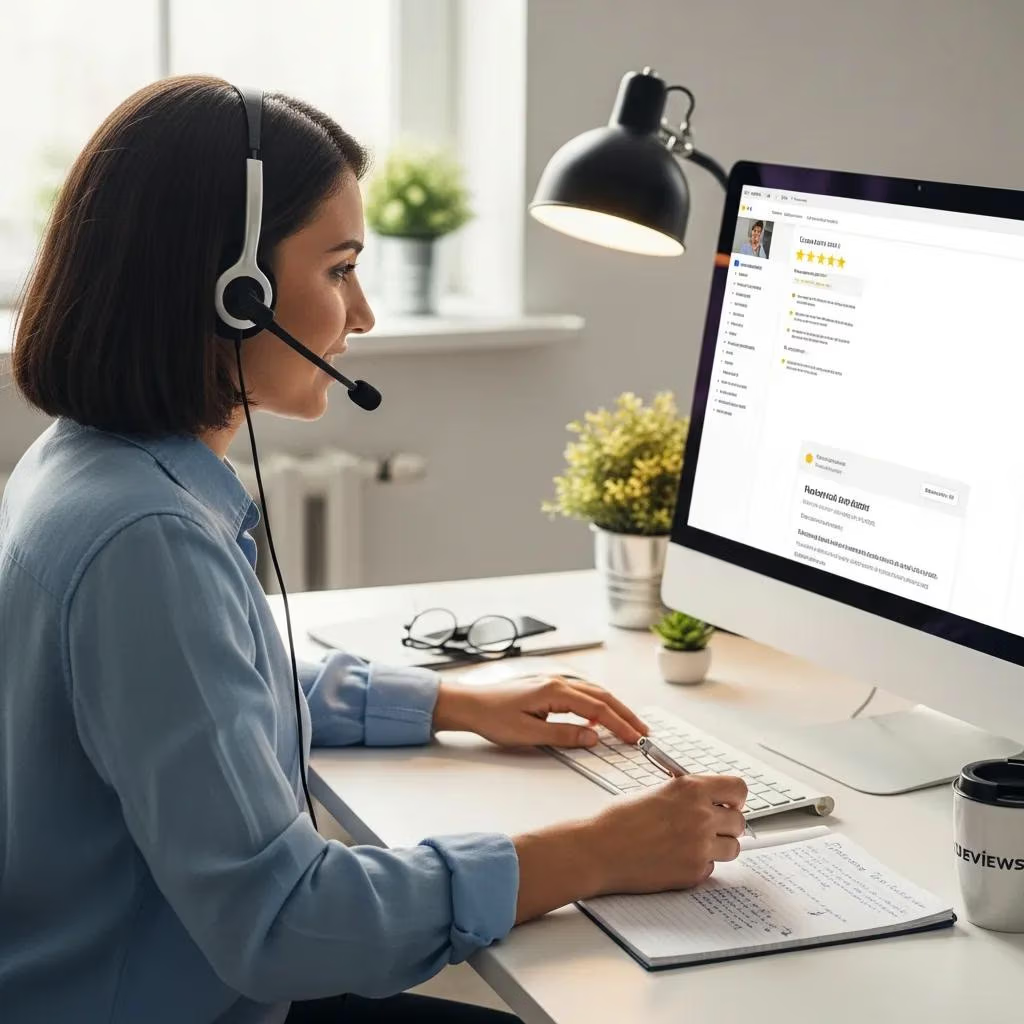
Replying well is as important as collecting reviews. Timely, empathetic responses show you care, build trust, and can prompt reviewers to update or amplify feedback. Replies that reference specifics, offer remediation, and invite further contact can turn neutral reviewers into advocates and signal to search engines that you actively manage customer experience. Aim to respond within 24–72 hours, use templates as a base, and always personalize to reflect the reviewer’s comments.
Below are practical dos and don’ts plus two short templates to help you respond to positive and negative reviews.
- Dos: Reply promptly, reference specifics, offer next steps, and invite the customer back.
- Don’ts: Avoid defensive wording, never publish private customer details, and don’t offer incentives for review changes.
- Process: Acknowledge → Empathize → Offer remedy → Move offline if needed → Invite an update when resolved.
These guidelines protect your reputation and create opportunities for remediation that improve public perception. The following subsections include template language and escalation advice.
Best Practices for Responding to Positive Reviews
When a customer leaves a positive review, thank them, reference a specific detail they mentioned, and include a subtle call-to-action that encourages repeat business or referrals. Keep replies genuine and concise. Mentioning the team member who helped or the result that delighted the customer adds authenticity. Positive replies can also be repurposed as micro-testimonials in social posts or on landing pages.
Simple template: thank → mention detail → invite return. This deepens relationships and nudges repeat visits.
How to Handle Negative Reviews Effectively
Handle negative reviews with a calm, solution-first approach: acknowledge the issue, apologize when appropriate, offer a specific remediation step, and invite the conversation offline. Avoid arguing in public and never share personal information. If you resolve the problem, politely ask the customer to update their review. For false claims or persistent disputes, document interactions, escalate internally, and use platform dispute options if a review violates policies. A professional public reply reassures prospects even when things go wrong.
Use the four-step framework — Acknowledge, Apologize, Act, Ask to Update — to keep responses consistent and focused on resolution.
How Review Management Software Can Streamline Your Program
Review management platforms centralize collection, monitoring, responses, and reporting, cutting manual work and improving consistency across locations. Prioritize features like automated review requests, centralized dashboards for multi-location oversight, sentiment alerts, and POS/CRM integrations for verified invites. Tools that combine scheduling, reply templates, and analytics make it easier to manage review velocity and measure ROI from review-driven traffic. When evaluating vendors, match features to your operational needs and reporting expectations to maximize value.
The table below outlines essential review management features in an EAV-style to help you choose capabilities that deliver real value for small and multi-location businesses.
| Feature Area | Key Attribute | Business Value |
|---|---|---|
| Automation | Triggered invites and follow-ups | Increases review velocity with verified timing |
| Monitoring | Real-time alerts and sentiment dashboards | Enables rapid response and issue triage |
| Integrations | POS, CRM, messaging channels | Ensures invites are sent only to verified customers |
| Reporting | Aggregated rating and review trends | Measures impact on local visibility and conversions |
These features show how software turns manual tasks into measurable systems that improve efficiency and outcomes. The next section outlines must-have versus nice-to-have capabilities to guide purchasing decisions.
Which Features Matter Most in Review Management Tools?
Must-have features include event-triggered request automation, centralized response workflows, sentiment alerts, and POS/CRM integrations to validate requests. Nice-to-have capabilities include AI-assisted reply drafts, multi-location role-based access, and exportable KPI dashboards linking review metrics to local traffic. Choose platforms that follow platform policies and provide audit trails for review requests to avoid compliance issues. The right toolset saves staff time, improves consistency, and delivers the analytics needed to connect reviews to SEO outcomes.
How Local Digital Buzz’s AI Tools Improve Review Management
Local Digital Buzz provides client engagement AI tools, including an Advanced Review Request Campaign that automates and personalizes invites to increase review velocity without sacrificing authenticity. The system ties triggered messaging to verified customer events and uses AI personalization to scale relevant asks. Centralized dashboards simplify multi-location management and reduce response workload with on-brand reply suggestions. For businesses focused on education, lead generation, and reputation, these features make it easier to turn satisfied customers into public advocates.
AI-driven scheduling and follow-up sequences can raise legitimate review volume while freeing staff for higher-value customer work.
How to Monitor, Analyze, and Use Reviews for Ongoing Growth
Monitoring and analyzing reviews turns feedback into actionable insight and marketing assets. Track KPIs like average star rating, review count, review velocity, response rate, and sentiment score. Maintain a cadence — daily alerts for serious negatives, weekly trend checks, and monthly performance reports — so nothing slips through. Feed review data into local landing pages, ad copy, and schema markup to magnify SEO and conversion benefits. Measurement plus strategic reuse of reviews is what turns reputation efforts into sustained growth.
Below is an EAV-style KPI table that defines metrics and suggests SMB benchmarks for review performance monitoring.
| KPI | Definition / Formula | Target Benchmark |
|---|---|---|
| Average Rating | Sum of ratingValue ÷ reviewCount | 4.2+ for competitive categories |
| Review Count | Total published reviews | Steady month-over-month growth (5–10% increase) |
| Review Velocity | New reviews per 30 days | 5–15 verified reviews/month depending on volume |
| Response Rate | Replies to reviews ÷ total reviews | 80%+ within 72 hours |
| Sentiment Score | Weighted positive/neutral/negative ratio | Positive sentiment > 75% |
Tracking these KPIs on a dashboard helps you link reputation improvements to local traffic and leads, making review work measurable and strategic. The following subsection explains how to operationalize review insights across marketing channels.
Key Metrics and KPIs to Track for Review Performance
Monitor average star rating, total review count, review velocity over rolling 30- and 90-day windows, response rate within your SLA, and a sentiment score from simple polarity analysis. Use consistent formulas — average rating = total ratingValue ÷ reviewCount; review velocity = new reviews per period — so reports stay clear. Benchmarks vary by industry, but small businesses should aim for steady month-over-month review growth and an 80%+ response rate to show active management. Visualize trends in dashboards and set alerts for sharp sentiment drops or unusual review spikes that may signal service problems.
These metrics convert reputation work into operational goals teams can act on, such as expanding follow-up automation or focused staff training around common complaints.
How to Use Google Reviews in Local Marketing and SEO
Surface review snippets on local landing pages, add AggregateRating and Review schema to testimonial sections, and use short positive quotes in ad copy and social posts to amplify trust signals. Implement Review/LocalBusiness schema with ratingValue and reviewCount to improve the chance of rich results and supply structured data search engines can parse. Link service pages to testimonial collections and rotate strong reviews into paid ad extensions where allowed. Repurposing genuine customer stories into site content and creative boosts both conversion and local relevance.
If you’re ready to move faster, consider booking a strategy session or scanning your business reputation with Local Digital Buzz. Their focus on education, lead generation, and AI-driven campaigns — including the Advanced Review Request Campaign — helps businesses strengthen online reputation and growth.
Frequently Asked Questions
What common mistakes do businesses make when managing Google reviews?
Typical mistakes include not replying to reviews (positive or negative), which makes the business seem disengaged; slow responses that leave negative feedback unaddressed; offering incentives for reviews (which can violate Google’s rules); and failing to monitor review trends, which prevents you from spotting recurring problems. Avoid these pitfalls to protect your reputation and improve outcomes.
How can businesses encourage customers to write more detailed reviews?
Encourage detailed reviews by asking specific questions that guide what customers should mention — for example, the service, staff member, or result they valued. Offer a simple example or template, follow up while details are fresh, and make the submission process seamless. Those tactics increase both the quality and the usefulness of reviews.
What should a business do about fake or malicious reviews?
If you get a fake or malicious review, report it to Google if it violates policy. Publicly respond in a professional tone, state your belief that the claim is inaccurate, and invite the reviewer to discuss the issue offline. Document the interaction and collect evidence in case further action is needed. A calm, factual public reply also helps reassure other customers.
How can businesses measure the impact of review management?
Measure impact by tracking KPIs such as average star rating, review count, and response rate. Watch local search rankings and website traffic for changes and analyze sentiment trends in reviews to find areas for improvement. Regularly review these metrics to refine your strategy and demonstrate how reputation work drives business results.
What role does customer feedback play in improving service quality?
Customer feedback is essential for improving service. Reviews highlight what you’re doing well and where you can do better, letting you address root causes and reduce repeat complaints. Acting on feedback improves service quality and builds customer loyalty because people notice when their concerns are heard and fixed.
How often should businesses monitor their Google reviews?
Monitor reviews frequently — ideally daily — so you can respond quickly and catch urgent issues. Complement daily checks with weekly trend reviews and monthly performance reports to identify patterns and inform operational changes. A consistent monitoring rhythm keeps you proactive and responsive.
Conclusion
Managing Google reviews well is essential for local businesses that want to strengthen their online reputation and grow. Authentic customer feedback builds trust, helps local SEO, and increases conversions. Use the strategies in this guide to make reviews a regular, measurable part of your marketing and operations. Start by optimizing your Google Business Profile and explore resources that help you lift review volume, quality, and impact.